
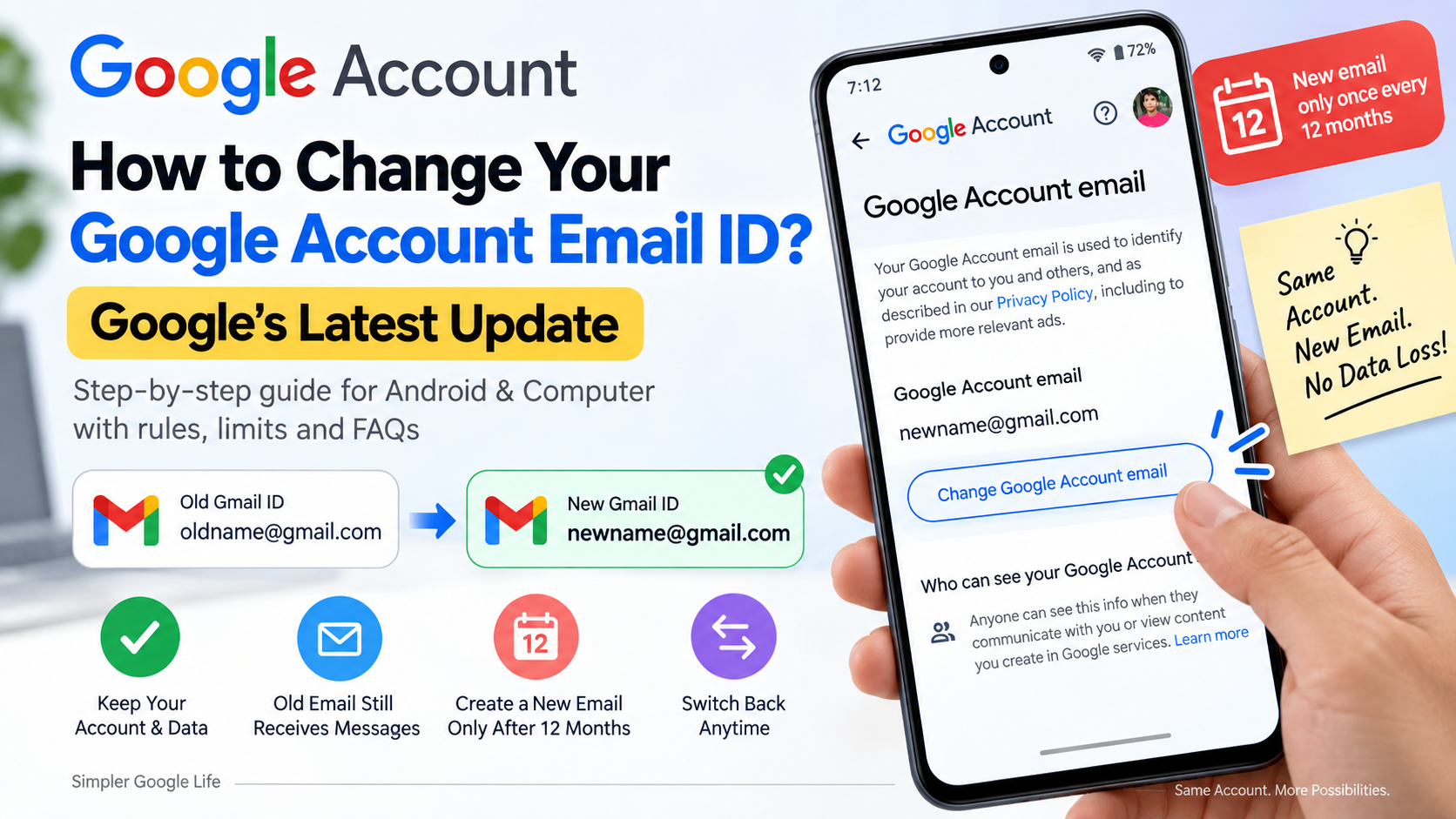
How to Change Your Google Account Email ID? Google’s Latest Update
Yes. If your Google Account has the “Change Google Account email” option, you can change your existing @gmail.com address to another available @gmail.com address without creating a new Google Account.
Google's current documentation confirms that eligible users can change their Google Account email. After the change, the previous Gmail address becomes an alternate email, while your existing Google Account and its data remain in place. Emails sent to both the old and new addresses can continue to reach the same Gmail inbox.
There is also an important restriction:
After creating a new Google Account email, you must wait 12 months before creating another new
@gmail.comGoogle Account email. However, you can switch back to your previous Gmail address at any time.
Google currently says you can create up to three new Gmail addresses for the same Google Account.
So, before changing your Gmail ID, make sure you understand how the feature works and what happens to your previous address.
Can You Change Your Google Account Email ID?
Yes, if your Google Account is eligible for the feature.
Google now provides eligible users with an option to change their existing @gmail.com Google Account email to another available @gmail.com address.
For example, you may be able to change:
Old email:
oldname@gmail.com
to:
New email:
newname@gmail.com
The important point is that you are changing the email associated with your existing Google Account rather than creating an entirely separate account.
However, this option is not necessarily available to every Google Account.
The easiest way to find out is to check your Google Account settings.
What Is the Difference Between a Gmail ID and Google Account Email?
These terms are often used interchangeably, but they can cause confusion.
Your Gmail ID is your Gmail address, such as:
example@gmail.com
Your Google Account email is the primary email associated with your Google Account.
For a typical personal Gmail account, these are usually the same address.
For example:
Google Account name:
John Smith
Google Account email:johnsmith@gmail.com
Changing John Smith to another name does not change the Gmail address.
Similarly, changing your Gmail address is different from changing your recovery email.
In simple terms
Google Account name → Your displayed name
Gmail ID → Your Gmail address
Google Account email → Primary email associated with the account
Recovery email → Another email used to help recover your account
How Do You Check If Your Google Account Can Change Its Email?
Before attempting to change your Gmail ID, check whether Google has enabled the feature for your account.
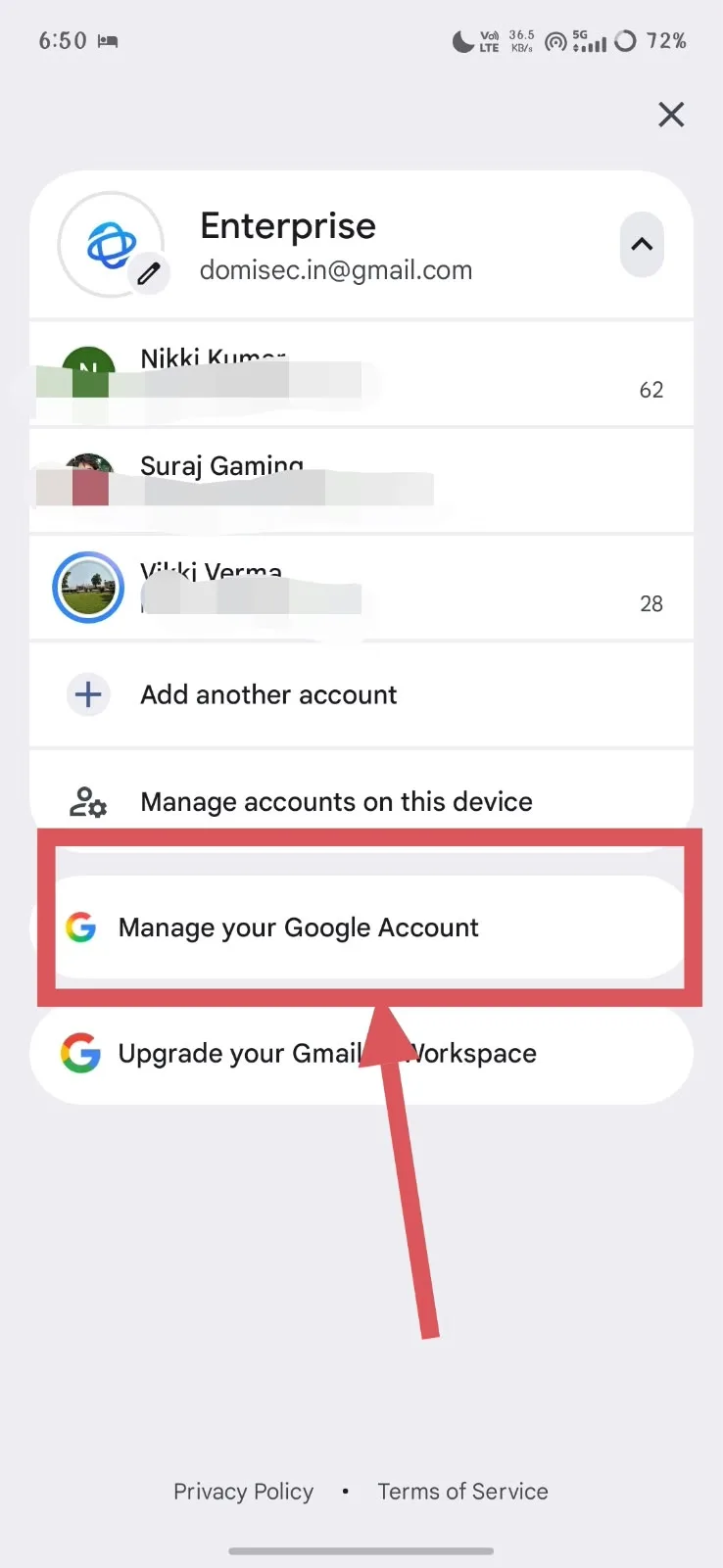
Step 1: Open your Google Account
Sign in to the Google Account whose email you want to change.
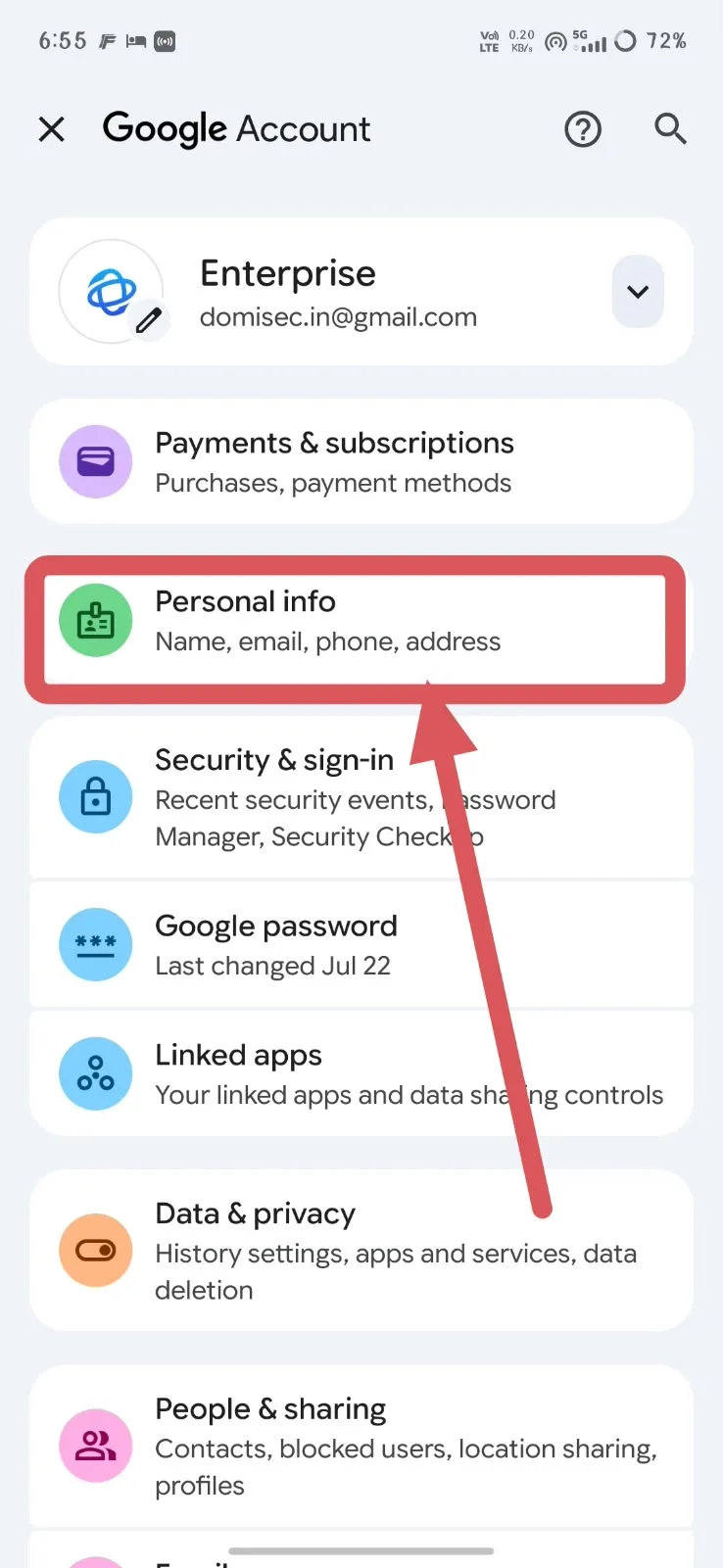
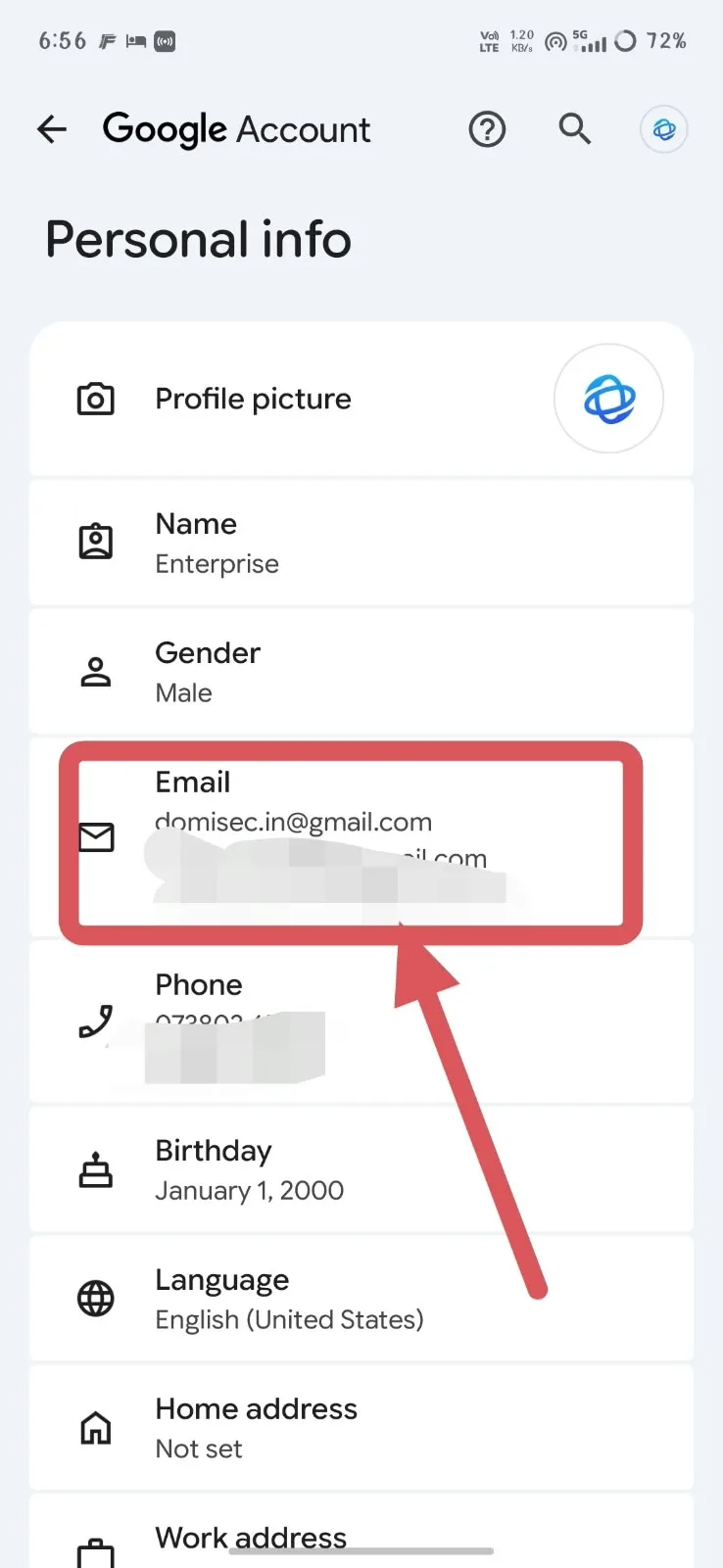
Step 2: Open Personal info
Go to:
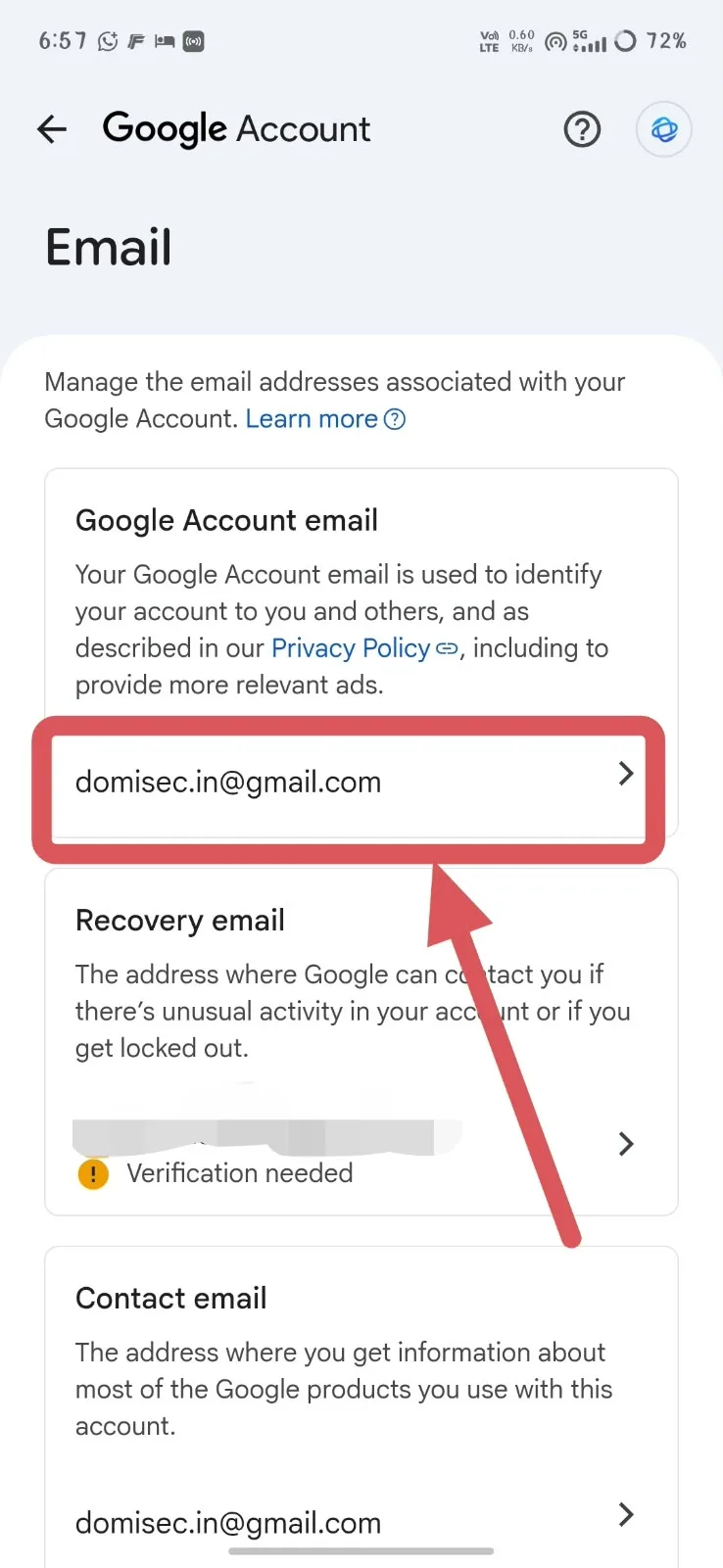
Personal info → Email
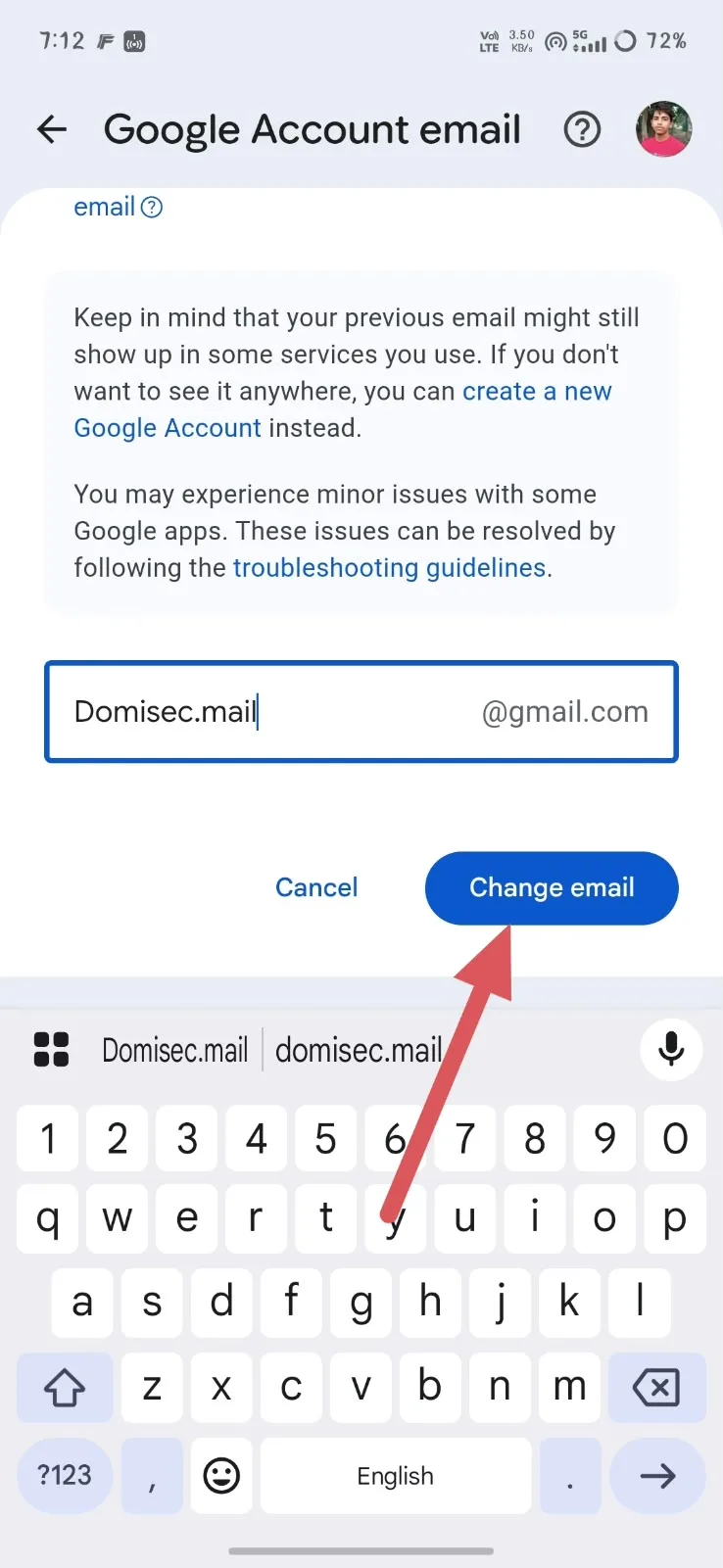
Step 3: Open Google Account email
Select:
Google Account email
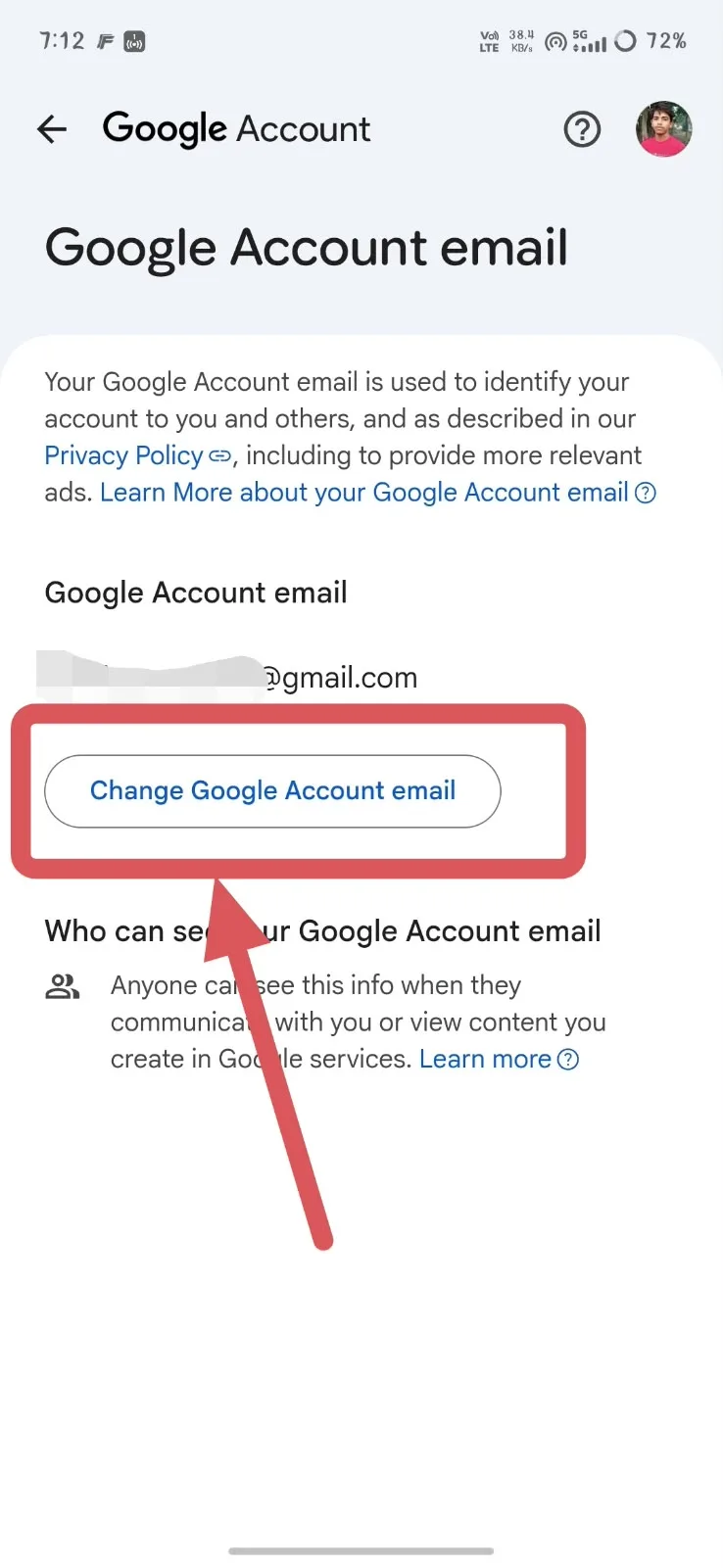
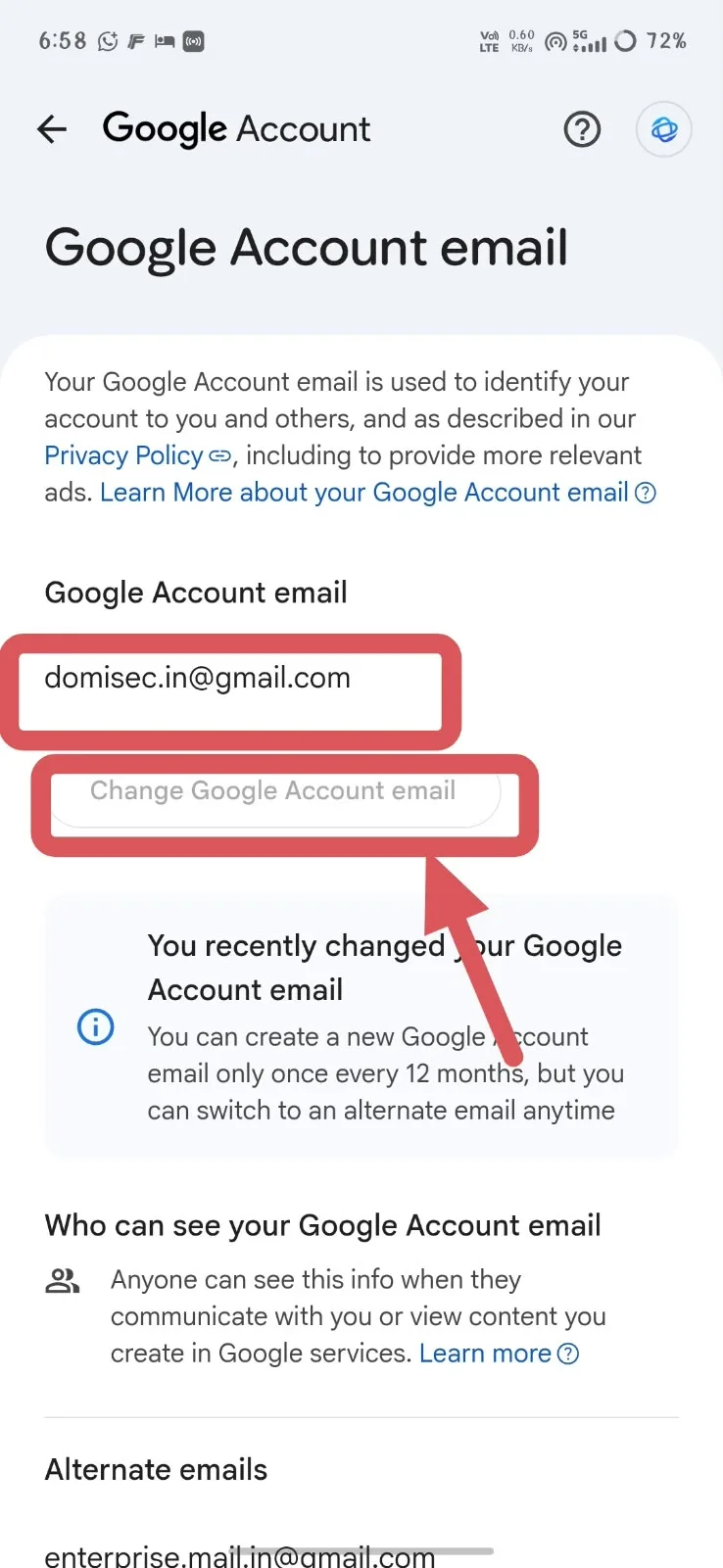
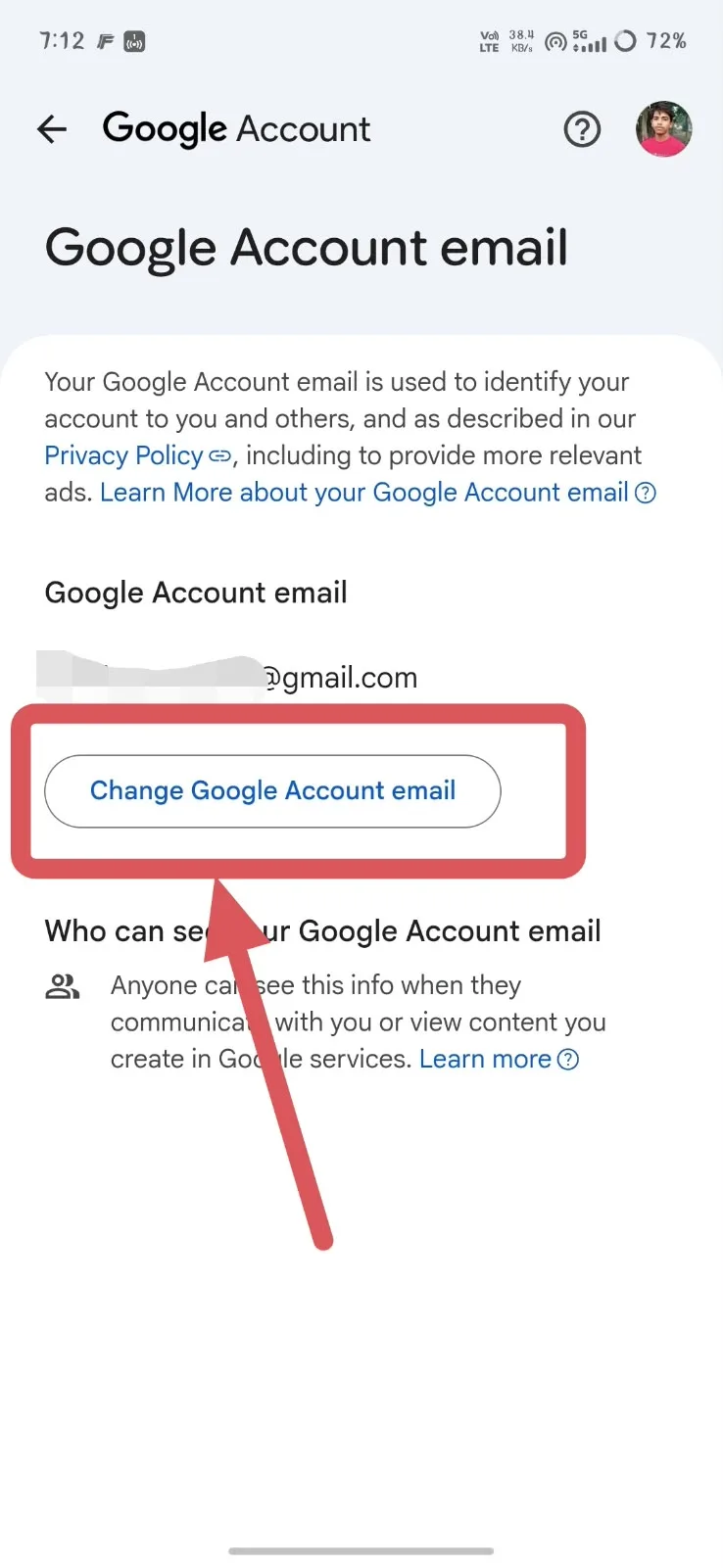
Step 4: Look for “Change Google Account email”
If you see:
Change Google Account email
your account is eligible to use the feature.
Your screenshot shows this exact option, which means that account has access to Google's email-change feature.
If you don't see the option, you may not currently be eligible. Google says the ability to change the email isn't available for every account.
Can You Change Your Gmail ID Again After 12 Months?
Yes, but there is an important distinction.
The 12-month rule applies to creating a new Google Account email.
It does not mean that you must wait 12 months to switch back to your previous Gmail address.
Example
Suppose your original Gmail ID is:
abc@gmail.com
You change it to:
xyz@gmail.com
After making the change:
You can:
Use
xyz@gmail.comas your new Google Account email.Continue receiving emails sent to
abc@gmail.com.Use your old address as an alternate email.
Switch back to
abc@gmail.comat any time.
You cannot immediately:
Create another new Gmail address such as:
hello@gmail.com
Google says you must wait 12 months before creating another new Google Account email.
What happens after 12 months?
After the 12-month period, you can create another new Google Account email, provided you have not reached Google's overall limit.
Google currently allows up to three new Gmail addresses for the account.
So the rule is:
New Gmail address → Wait 12 months → Another new Gmail address
But:
New Gmail address → Switch back to previous address → Allowed at any time
This distinction is extremely important.
Can You Switch Back to Your Old Gmail ID?
Yes.
You can switch back to your previous Google Account email.
Your previous address remains associated with your account as an alternate email. Google says you can make that previous address your Google Account email again.
This means the 12-month restriction shouldn't be misunderstood as a complete lock on changing your email.
The restriction concerns creating a new Gmail address.
Why Can't You See the “Change Google Account Email” Option?
If you don't see the button, there are several possible reasons.
Your account may not be eligible
Google does not make the email-change option available to every account.
If the option isn't shown under:
Personal info → Email → Google Account email
you may not currently be able to change the address.
You may be using a Google Workspace account
If your email is managed by a company, school or organization, the administrator may control your email address.
For example:
name@company.com
is different from:
name@gmail.com
Google Workspace administrators can manage organization email addresses.
You may be looking at the wrong setting
Changing your Google Account name is not the same as changing your Gmail ID.
For example:
Name: John Smith
Email: john@gmail.com
Changing the name to:
John Kumar
does not change:
john@gmail.com
What Should You Check Before Changing Your Gmail ID?
Changing your Gmail ID is relatively straightforward, but you should check a few things first.
1. Check Sign in with Google
If you use Sign in with Google to access third-party apps and websites, check those accounts before changing your email.
Google warns that some services may experience issues after the email change.
2. Check important Google services
Review services you use regularly, such as:
Google Drive
Google Calendar
Google Photos
YouTube
Google Play
Your account remains the same, but some services may continue displaying your previous email in certain places.
3. Check your Chromebook
If you use a Chromebook, review Google's guidance before changing the email because some local account-related data may need attention.
4. Choose the new address carefully
Don't choose a new Gmail ID randomly.
Remember that creating another new Gmail address is subject to Google's 12-month restriction.
Can You Completely Remove Your Old Gmail Address?
Not simply by changing the Gmail ID.
When you change your Google Account email, your previous Gmail address becomes an alternate email.
If you want the old address to have no connection to the existing Google Account, Google's documentation indicates that you would need to create a new Google Account rather than simply changing the existing account's email.
This is an important difference:
Changing Gmail ID:
Existing Google Account remains.
Creating a new Google Account:
A completely separate account is created.
Can Google Workspace Users Change Their Email?
Google Workspace accounts can work differently from personal Gmail accounts.
If your email is controlled by your employer, school or another organization, you may not have permission to change it yourself.
For example:
employee@company.com
may be managed by the company's Google Workspace administrator.
In such cases, contact your organization's administrator rather than following the personal Gmail process.
Final Answer
Yes, eligible Google Account users can now change their Gmail ID without creating a completely new Google Account.
The process is:
Google Account → Personal info → Email → Google Account email → Change Google Account email
After the change:
Your existing Google Account remains.
Your old Gmail address becomes an alternate email.
Emails sent to the old and new addresses can reach the same inbox.
Your existing account data remains associated with the account.
You can switch back to your previous Gmail address at any time.
You must wait 12 months before creating another new Google Account email.
Google currently allows up to three new Gmail addresses for an account.
The key point: the 12-month rule applies to creating a new Gmail address. It does not stop you from switching back to your previous address.


Comments & Discussion
Leave a Comment
Share your questions, ideas, or architectural feedback. Your comment will appear immediately.
No comments yet
Be the first to share your thoughts or start a discussion on this topic.